Practitioner mode
A workbench for therapists: from client record to service report
Paper notes miss safety details, and spreadsheets make it hard to see how one client's formula changed between visits. Aromemor runs consultation, blending, safety checking and reporting as a single flow, so every round leaves a record.
One flow, consultation through follow-up
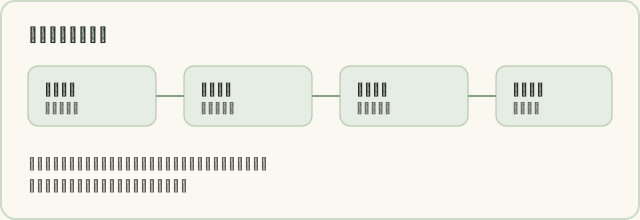
Practitioner mode starts from the client, not from an empty form. You create the client record first, enter health background and scent preferences, and from then on every formula and dosage stays under that same record.
Client records
A client record holds allergies, medical and health history, scent preferences, skin type and contraindication context. Each practice's records stay separate, so only members of that practice can read them.
- Contact details and case number
- Allergies, including essential oils and botanical families
- Current medications
- Thirteen health-history categories with severity scoring
- Skin type, family history and lifestyle notes
Formula safety checks
The safety check is rules-first: risk is decided by rules, and SI only adds the surrounding wording. It covers pregnancy, children, asthma, epilepsy, pets, allergies, photosensitivity and skin sensitisation, and works out the recommended dilution range from the client's age and route of use.
When a dilution exceeds the recommended ceiling, the interface marks it in red and blocks saving. SI does not override that result.
The safety check is a checking aid and does not replace professional judgement. The final decision on a formula remains yours.
Blend builder and dosage records
The blend builder lets you pick oils, adjust drop counts, work out dilution against a carrier oil and see the live safety result and cost estimate. Recurring formulas can be saved as templates and reused.
- Oil picker with drop counting
- Dilution percentage and carrier oil selection
- Cost estimate per formula
- Template reuse and tag grouping
- Live safety check on every change
Service reports and aftercare
A service report is populated from the formula and the client record, and carries the relevant safety notes and aftercare advice. Report status runs draft, sent, acknowledged, so you can see what still needs a follow-up.
Check-in reminders and aftercare evaluations can be recorded against the same report, which makes it easy to compare self-rated scores between rounds.
SI drafts that speed up the paperwork
SI (artificial intelligence AI) can summarise a consultation, rewrite report wording, draft a follow-up message and suggest a direction for adjusting a formula based on the previous round's aftercare evaluation. Each task costs credits, and the allowance resets monthly by plan.
Every draft can be edited before it goes out. SI does not diagnose, and it does not suggest uses that replace medication or medical care.
Content drafted by SI (artificial intelligence AI) is for reference only, is not professional medical advice, and must be reviewed by you before it is used.
Revenue and service records
The dashboard shows real figures from your own records: client count, report count, sessions and income trend, alongside the safety alerts that need attention. These come from your data, not from sample data.
Plans and limits
Practitioner plans start free and step up by client count, formula count, reports, SI credits and team size. The full price and feature comparison is on the pricing page.
See practitioner plan pricing:Five tiers, free through Academy.
Open the dilution calculator:No account needed.
Open the intake form tool:Collect background and safety notes.
Frequently asked questions
Where is client data stored?
Real accounts keep each practice's records separate, so one practice can never read another's. Demo accounts run entirely on your device and never leave it.
Can I export a report for a client?
Yes. Service reports render as a printable report card with safety notes. Reports on the free plan carry a 'Created with Aromemor' watermark; paid plans remove it.
Will the safety check catch every rare case?
The safety check is a rule-based checking aid covering common contraindications and dilution ceilings. It cannot cover every individual situation, and it does not replace professional judgement — review against the client's actual circumstances.
Can several practitioners share one workspace?
The Studio and Academy plans support studio teams, so multiple members can share client records and resources. Starter and Professional are single-practitioner plans.
Write down the next round
Start on the free plan, create your first client record, and try the full flow end to end.